|
|
This firmware has been optimized for the following:
1. The DS50PRO2 can be used without turning off the Bluetooth of the PS5 system. It can be utilized even when the system Bluetooth is on.
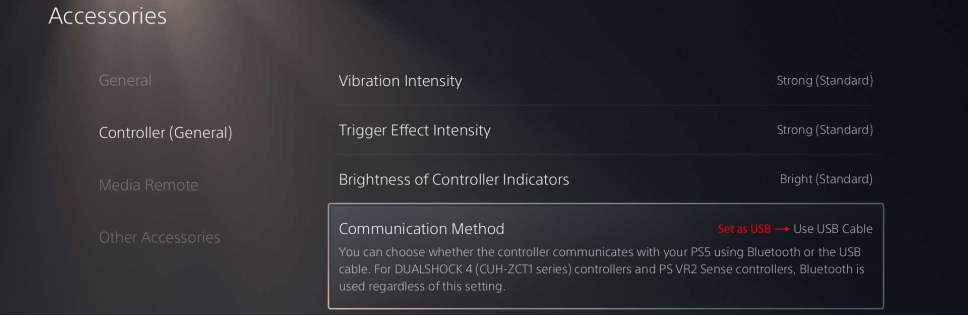
2. The USB connection within the PS5 system must be enabled.
3:After the DS50PRO2 is plugged into the PS5 console, wait for 3 seconds (the green light flashes for 2 seconds and then turns to a blue flashing light). A controller icon will automatically appear in the upper right corner of the screen, at which point you can play games normally.
For the lastest tutorial, please click this link and read the method of upgrading with the downloaded firmware.
Please refer to the following picture for the method of opening the USB connection.
|
|



 Post time 2026-03-24 17:51:51

